PRODUCT / MAC APP

Junkless icon

Junkless

The standalone Mac spam filter that doesn't need the cloud. Catch the spam your built-in filter misses — without sending your email anywhere. Buy once. No AI. No subscription. No surprises.

Junkless
Junkless
PLATFORM
macOS 12+
LAUNCH
2026
PRICE
One-time purchase
SUPPORTED
EN / JA
features
01Stops the spam your inbox lets through

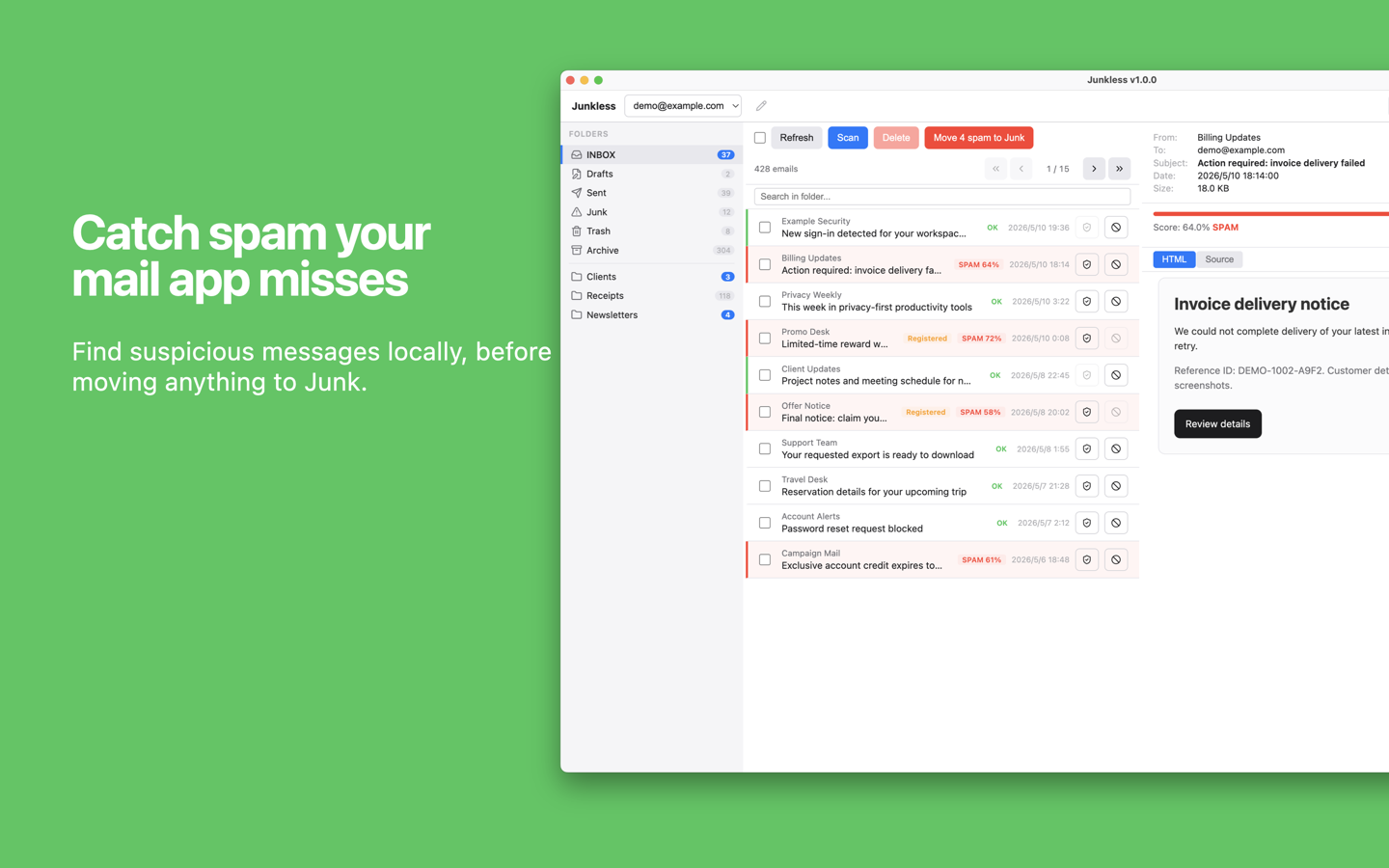
Catch what your built-in filter misses

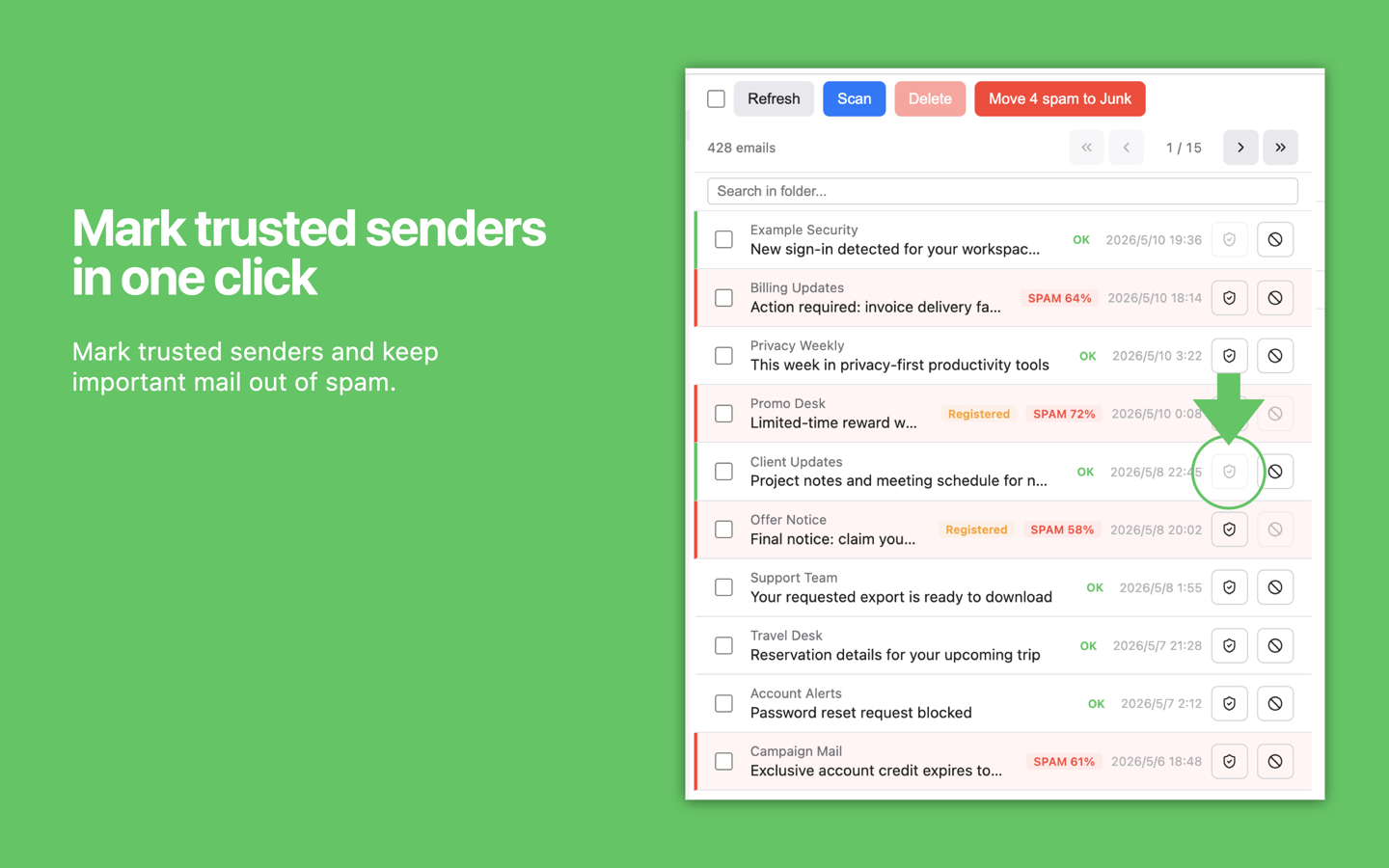
Review the list first, then move only the ones you want to the Junk folder.
DETECTION: Rule-based + SimilarityAI: Not usedFALSE POSITIVE FIX: Trust sender
Catch what your built-in filter misses
02Local-first by design

Your email never leaves your Mac

If your email carries contracts and client data, the most reliable safety is data that doesn't leave your Mac.
NETWORK: Your IMAP onlyANALYTICS: NoneTRACKERS: None
Your email never leaves your Mac
03Transparent detection

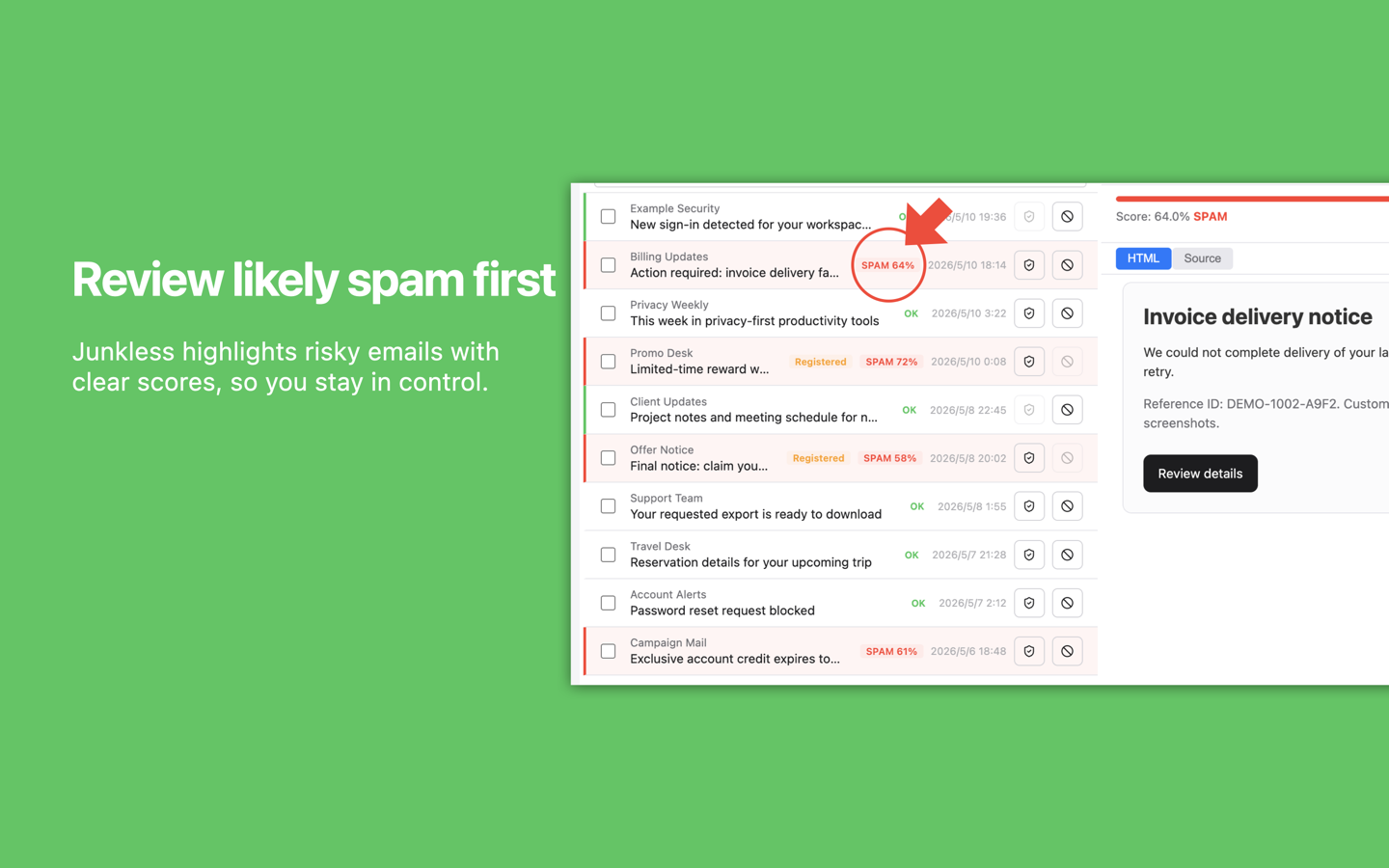
Confidence scores on every flagged message

Transparent scoring, not a black box. The clarity that matters most to engineers and professionals.
RULES: Built-in rulesLEARNED PATTERNS: UnlimitedWHITELIST: Trust sender
Confidence scores on every flagged message
SCREENSHOTS

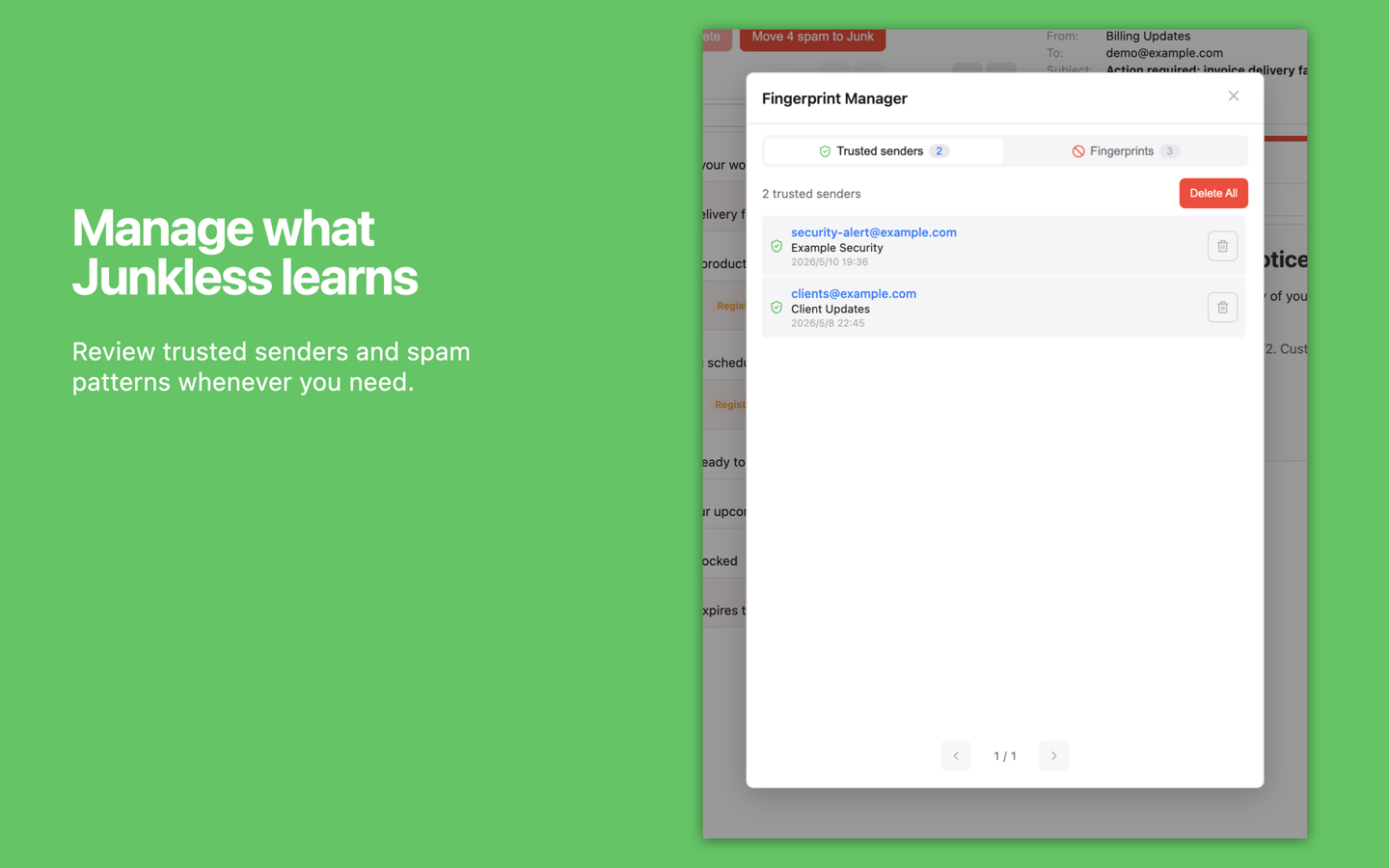
Review spam scores, trust senders, manage learned patterns, and configure IMAP folders locally on your Mac.

01
Junkless main screen
Review message lists and email content side by side.
02
Spam score display
Suspicious messages are shown with confidence scores.
03
Trust sender action
Trust legitimate senders to reduce false positives.
04
Fingerprint Manager
Review trusted senders and learned spam patterns.
05
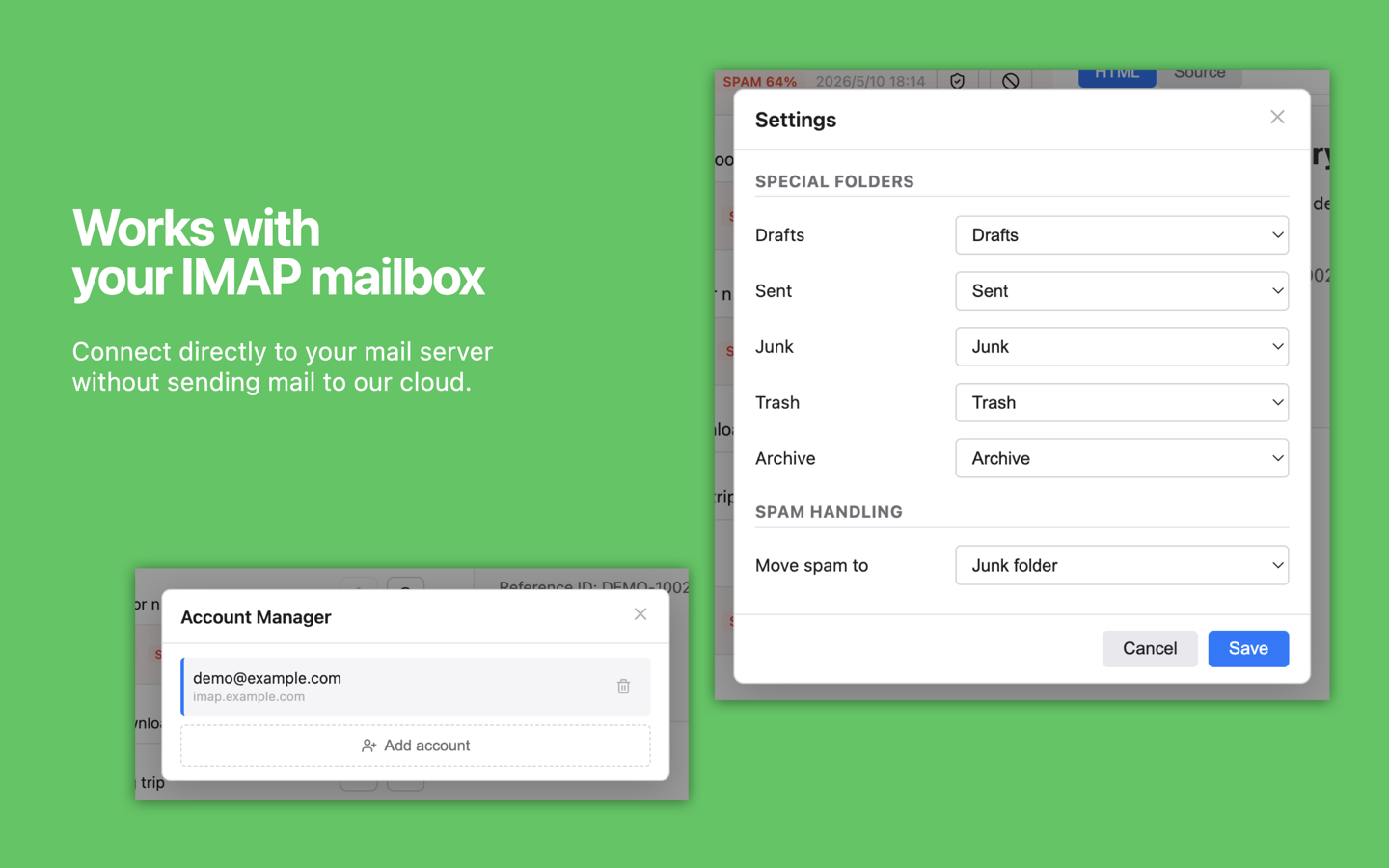
Account and special folder settings
Configure IMAP accounts and destination folders.
audience
A GOOD FIT IF
  • 01Independent professionals (consultants, freelancers, lawyers, accountants) running their own email domain through a Mac mail client
  • 02Anyone manually clearing missed spam from their inbox every week
  • 03Email users who refuse to send their content or credentials to a cloud service (contracts and client data live in their inbox)
  • 04Anyone looking for a standalone, one-time-purchase spam filter that works alongside their existing mail client
NOT A GOOD FIT IF
  • -Anyone expecting a zero-configuration filter (IMAP setup is required)
  • -Users wanting the latest machine-learning AI detection (Junkless uses rules + similarity, not AI)
  • -Windows or iOS users (Mac only)
  • -Users who want fully automatic quarantine (Junkless surfaces candidates for you to review)
FAQ7 entries

How does Junkless decide whether an email is spam?

Junkless checks built-in rules for SPF / DKIM / DMARC mismatches, brand impersonation, URL spoofing, and invoice, payment, or account-warning language. It also compares messages against patterns you have marked as spam, all locally on your Mac.

Will my email be sent anywhere?

No. Junkless connects only to your IMAP server (Gmail, iCloud, Fastmail, etc.) and Apple's Mac App Store services. Nothing else.

Which mail providers are supported?

Any IMAP server: Gmail, iCloud, Fastmail, Outlook, Proton (via Bridge), and custom domains. Setup guides are in the Help page.

Is there a Windows or iOS version?

No. Junkless is Mac only. There are no plans for other platforms at this time.

Do I need to mark spam manually?

No. Junkless judges incoming mail with built-in rules from the start. If something slips through, mark it as spam and Junkless will spot similar messages more easily next time.

How is this different from other spam filters?

Junkless combines three things in one app: (1) a standalone client (not a plugin to your mail app), (2) fully local processing (no email content or credentials in the cloud), and (3) transparent, rule-based detection with confidence scores. Plus it's a one-time purchase, not a subscription.

What if I uninstall Junkless?

All Junkless data lives on your Mac. To remove it, first delete your accounts in Junkless, then uninstall the app. If any local app data remains, you can remove Junkless's data folder from macOS storage manually.